HOTSPOT -
Your company has the divisions shown in the following table.
You plan to deploy a custom application to each subscription. The application will contain the following:
✑ A resource group
✑ An Azure web app
Custom role assignments -
✑ An Azure Cosmos DB account
You need to use Azure Blueprints to deploy the application to each subscription.
What is the minimum number of objects required to deploy the application? To answer, select the appropriate options in the answer area.
NOTE: Each correct selection is worth one point.
Hot Area: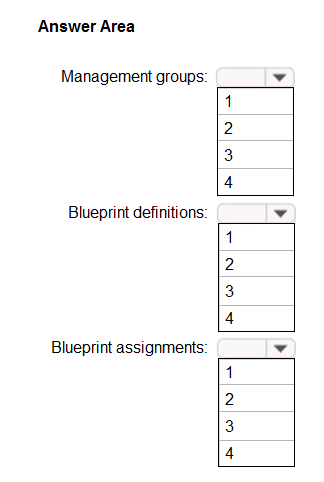
Correct Answer:
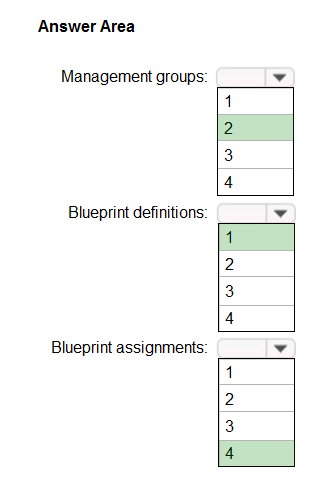
Box 1: 2 -
One management group for East, and one for West.
When creating a blueprint definition, you'll define where the blueprint is saved. Blueprints can be saved to a management group or subscription that you have
Contributor access to. If the location is a management group, the blueprint is available to assign to any child subscription of that management group.
Box 2: 1 -
One definition as the you plan to deploy a custom application to each subscription.
With Azure Blueprints, the relationship between the blueprint definition (what should be deployed) and the blueprint assignment (what was deployed) is preserved.
Box 3: 4 -
One assignment for each subscription.
Reference:
https://docs.microsoft.com/en-us/azure/governance/blueprints/overview
You have an Azure Active Directory (Azure AD) tenant.
You plan to deploy Azure Cosmos DB databases that will use the SQL API.
You need to recommend a solution to provide specific Azure AD user accounts with read access to the Cosmos DB databases.
What should you include in the recommendation?
Correct Answer:
C
The Access control (IAM) pane in the Azure portal is used to configure role-based access control on Azure Cosmos resources. The roles are applied to users, groups, service principals, and managed identities in Active Directory. You can use built-in roles or custom roles for individuals and groups. The following screenshot shows Active Directory integration (RBAC) using access control (IAM) in the Azure portal: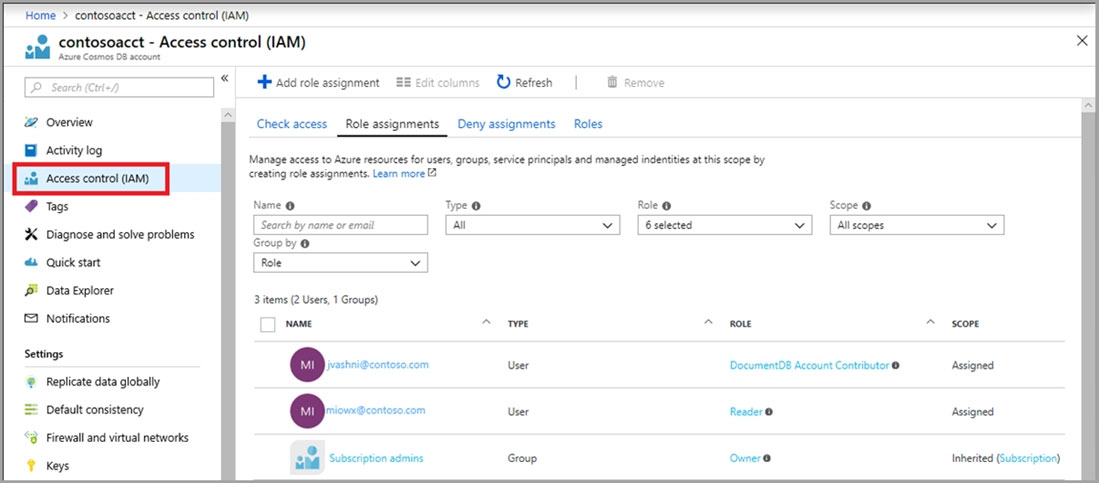
Reference:
https://docs.microsoft.com/en-us/azure/cosmos-db/role-based-access-control
You deploy an Azure virtual machine that runs an ASP.NET application. The application will be accessed from the internet by the users at your company.
You need to recommend a solution to ensure that the users are pre-authenticated by using their Azure Active Directory (Azure AD) account before they can connect to the ASP.NET application.
What should you include in the recommendation?
Correct Answer:
D
You can manage service principals in the Azure portal through the Enterprise Applications experience. Service principals are what govern an application connecting to Azure AD and can be considered the instance of the application in your directory.
Reference:
https://docs.microsoft.com/en-us/azure/active-directory/develop/active-directory-how-applications-are-added
HOTSPOT -
You have an Azure blueprint named BP1.
The properties of BP1 are shown in the Properties exhibit. (Click the Properties tab.)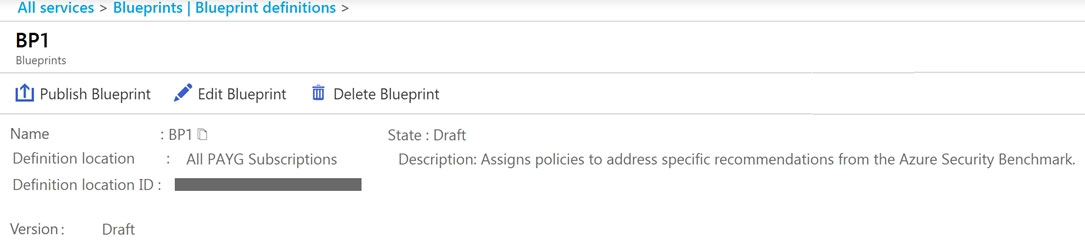
The basic configuration of the blueprint is shown in the Basics exhibit. (Click the Basics tab.)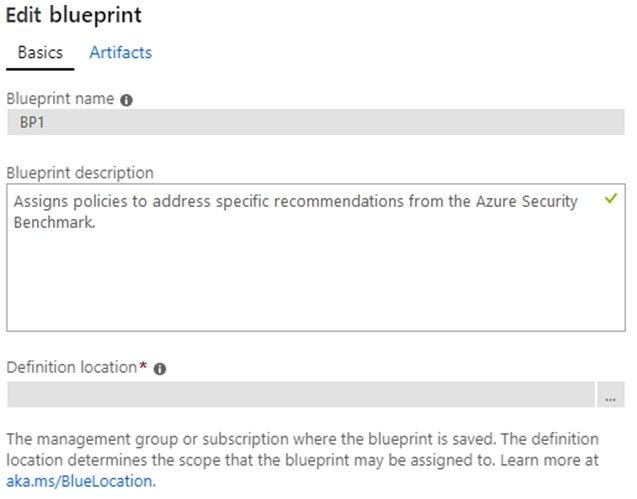
The artifacts attached to BP1 are shown in the Artifacts exhibit. (Click the Artifacts tab.)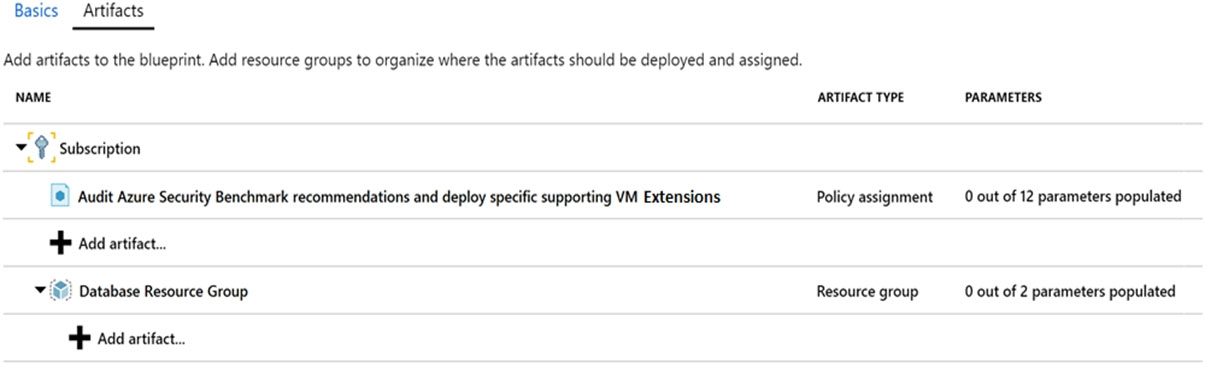
For each of the following statements, select Yes if the statement is true. Otherwise, select No.
NOTE: Each correct selection is worth one point.
Hot Area: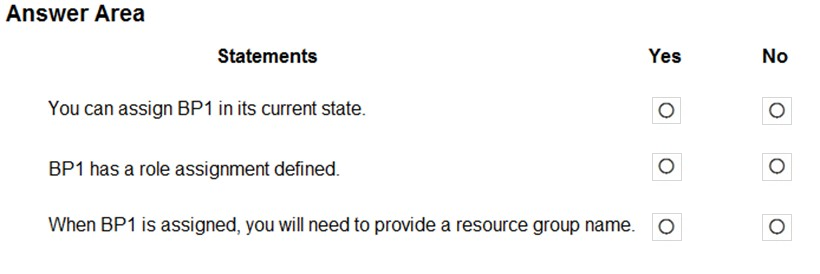
Correct Answer:
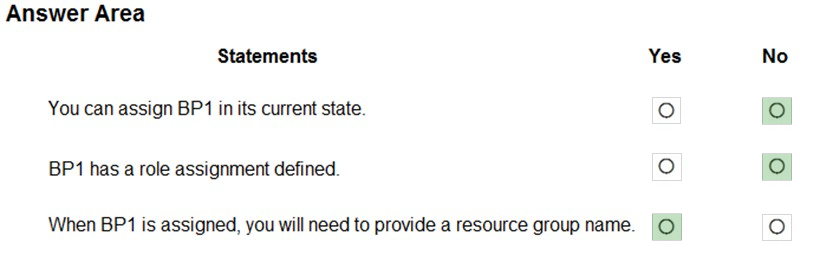
Box 1: No -
BP1 is in draft mode.
When a blueprint is first created, it's considered to be in Draft mode. When it's ready to be assigned, it needs to be Published.
Box 2: No -
The BP1 artifacts include one Policy assignment and a Resource group, but no Role assignments.
Note: Blueprints are a declarative way to orchestrate the deployment of various resource templates and other artifacts such as:
Role Assignments -
Policy Assignments -
Azure Resource Manager templates (ARM templates)
Resource Groups -
Box 3: Yes -
Yes, the BP1 artifacts include a Resource group.
Reference:
https://docs.microsoft.com/en-us/azure/governance/blueprints/overview