You have an Azure Storage account that contains the data shown in the following exhibit.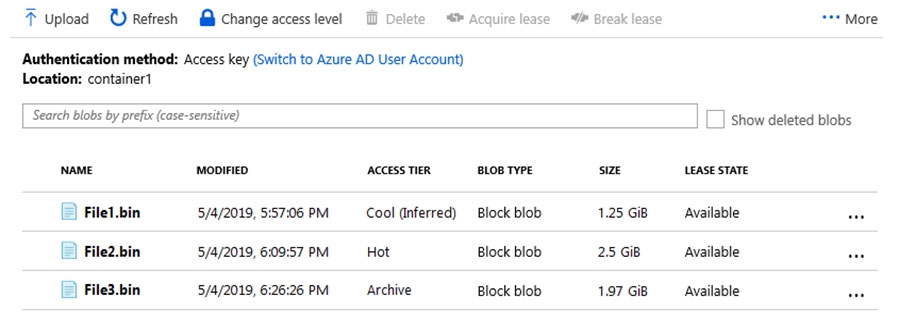
You need to identify which files can be accessed immediately from the storage account.
Which files should you identify?
Correct Answer:
D
Hot - Optimized for storing data that is accessed frequently.
Cool - Optimized for storing data that is infrequently accessed and stored for at least 30 days.
Archive - Optimized for storing data that is rarely accessed and stored for at least 180 days with flexible latency requirements (on the order of hours).
Note: Lease state of the blob. Possible values: available|leased|expired|breaking|broken
Reference:
https://docs.microsoft.com/en-us/azure/storage/blobs/storage-blob-storage-tiers
HOTSPOT -
You have a virtual machine scale set named SS1.
You configure autoscaling as shown in the following exhibit.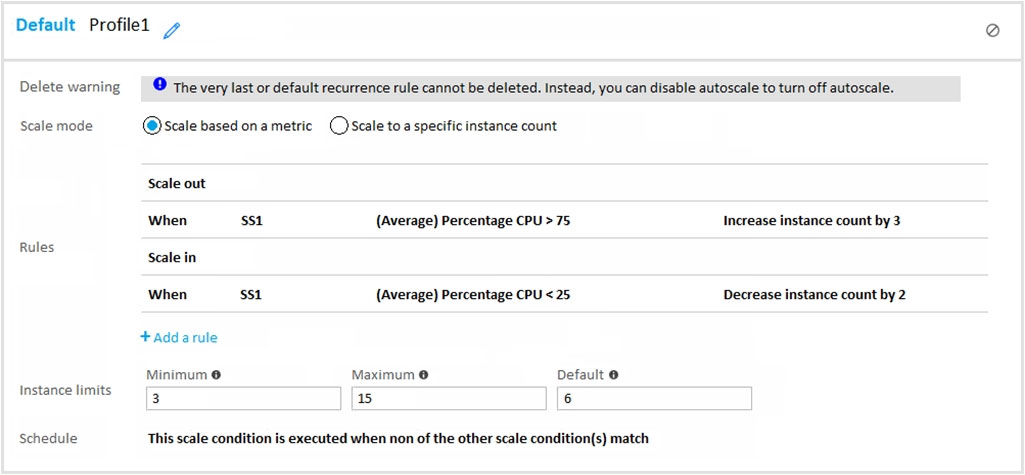
You configure the scale out and scale in rules to have a duration of 10 minutes and a cool down time of 10 minutes.
Use the drop-down menus to select the answer choice that answers each question based on the information presented in the graphic.
NOTE: Each correct selection is worth one point.
Hot Area: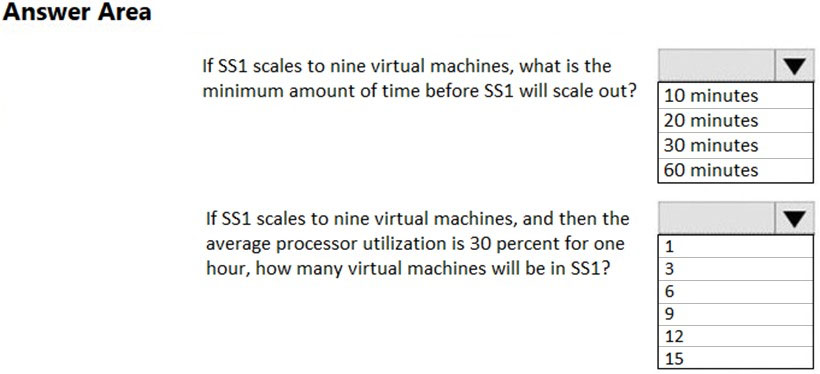
Correct Answer:
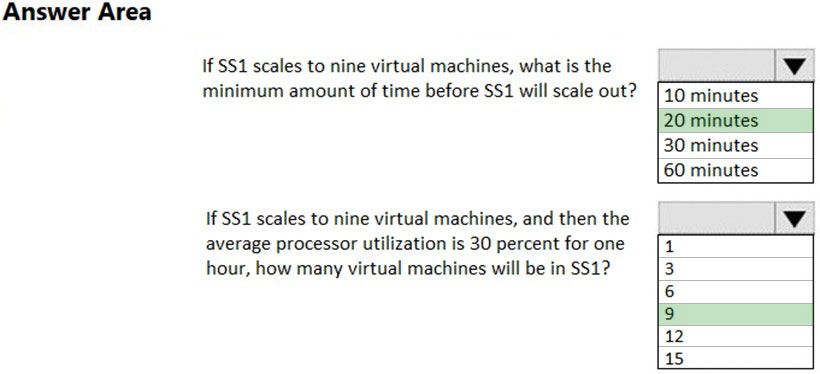
Box 1: 20 Minutes.
10 minutes cool down time after the last scale-up plus 10 minutes duration equals 20 minutes.
Box 2: 9 -
30% does not match the scale in requirement of less than 25% so the number of virtual machines will not change.
HOTSPOT -
You plan to create a storage account and to save the files as shown in the exhibit.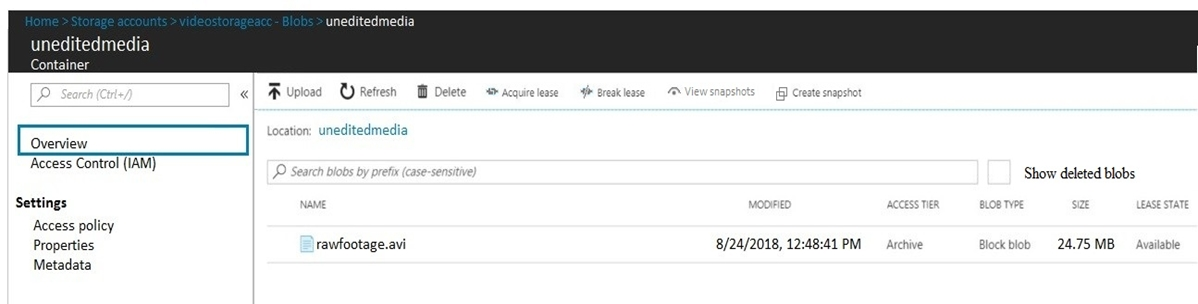
Use the drop-down menus to select the answer choice that completes each statement based on the information presented in the graphic.
NOTE: Each correct selection is worth one point.
Hot Area: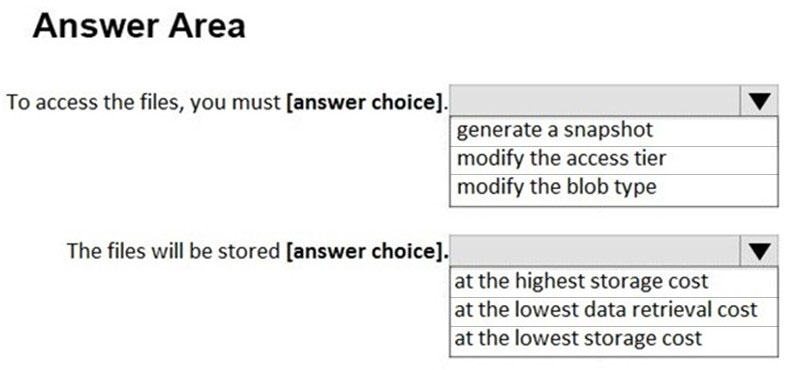
Correct Answer:
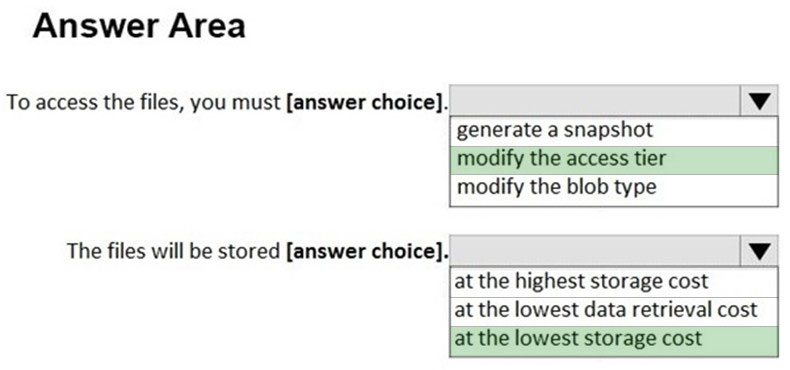
Reference:
https://docs.microsoft.com/en-us/azure/storage/blobs/storage-blob-storage-tiers#archive-access-tier-preview
HOTSPOT -
You need to recommend an Azure Storage account configuration for two applications named Application1 and Application2. The configuration must meet the following requirements:
✑ Storage for Application1 must provide the highest possible transaction rates and the lowest possible latency.
✑ Storage for Application2 must provide the lowest possible storage costs per GB.
✑ Storage for both applications must be optimized for uploads and downloads.
✑ Storage for both applications must be available in an event of datacenter failure.
What should you recommend? To answer, select the appropriate options in the answer area.
NOTE: Each correct selection is worth one point.
Hot Area: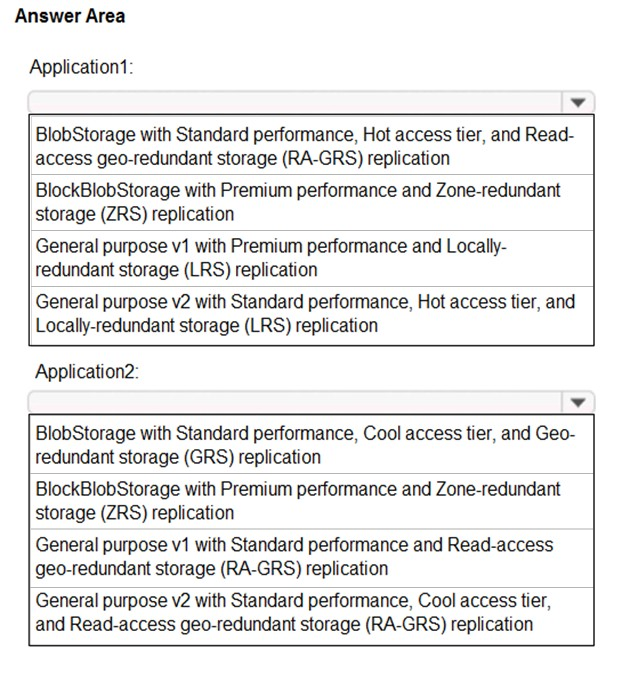
Correct Answer:
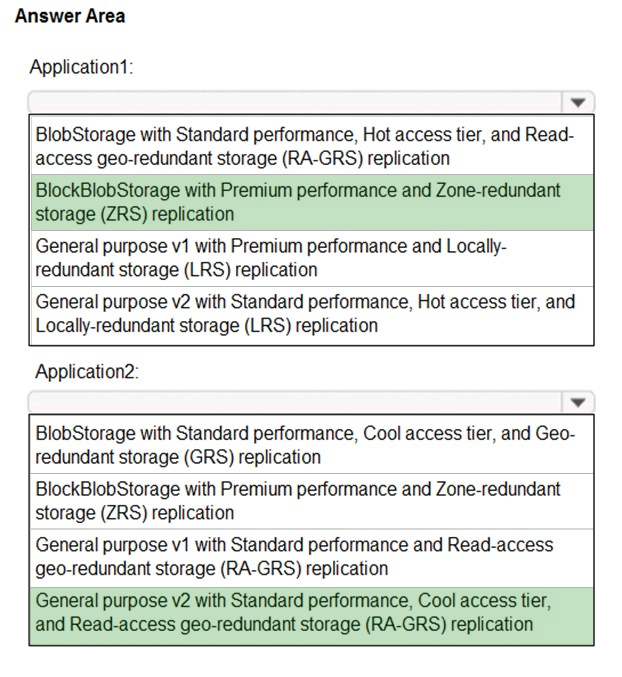
Box 1: BloblBlobStorage with Premium performance and Zone-redundant storage (ZRS) replication.
BlockBlobStorage accounts: Storage accounts with premium performance characteristics for block blobs and append blobs. Recommended for scenarios with high transactions rates, or scenarios that use smaller objects or require consistently low storage latency.
Premium: optimized for high transaction rates and single-digit consistent storage latency.
Box 2: General purpose v2 with Standard performance..
General-purpose v2 accounts: Basic storage account type for blobs, files, queues, and tables. Recommended for most scenarios using Azure Storage.
Incorrect Answers:
✑ Locally redundant storage (LRS) copies your data synchronously three times within a single physical location in the primary region
✑ Standard: optimized for high capacity and high throughput
✑ General-purpose v1 accounts: Legacy account type for blobs, files, queues, and tables. Use general-purpose v2 accounts instead when possible.
✑ BlobStorage accounts: Legacy Blob-only storage accounts. Use general-purpose v2 accounts instead when possible.
Reference:
https://docs.microsoft.com/en-us/azure/storage/common/storage-account-overview https://docs.microsoft.com/en-us/azure/storage/common/storage-redundancy